
REQUEST'S MANAGEMENT
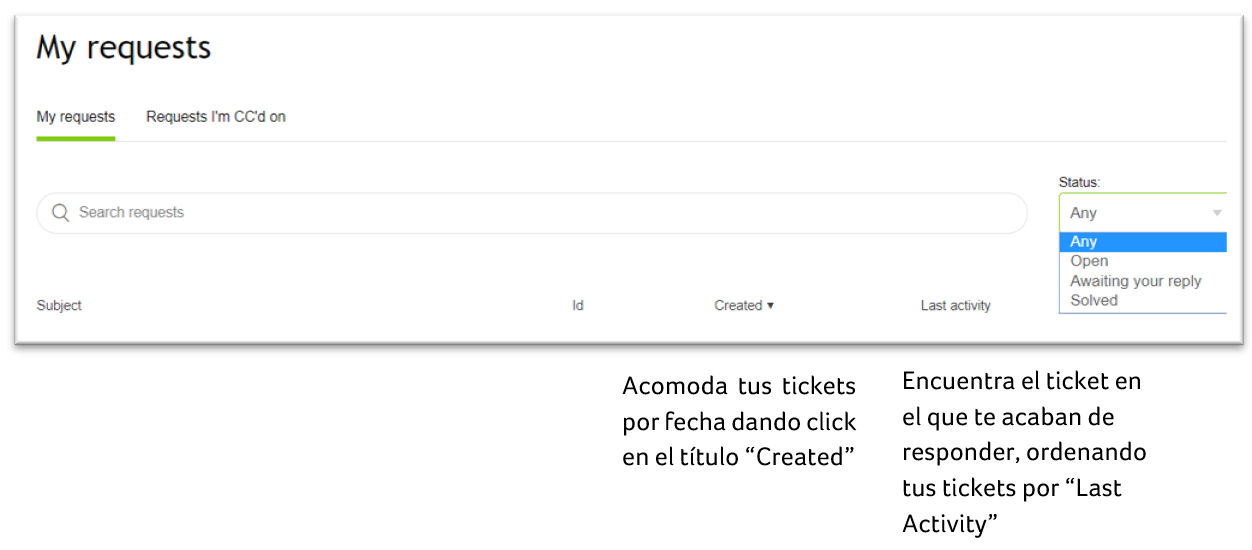
IMAGE 1: "My requests" options
VIEW YOUR REQUESTS
Clicking on your tickets you'll see all it's information on the right hand-side bar:
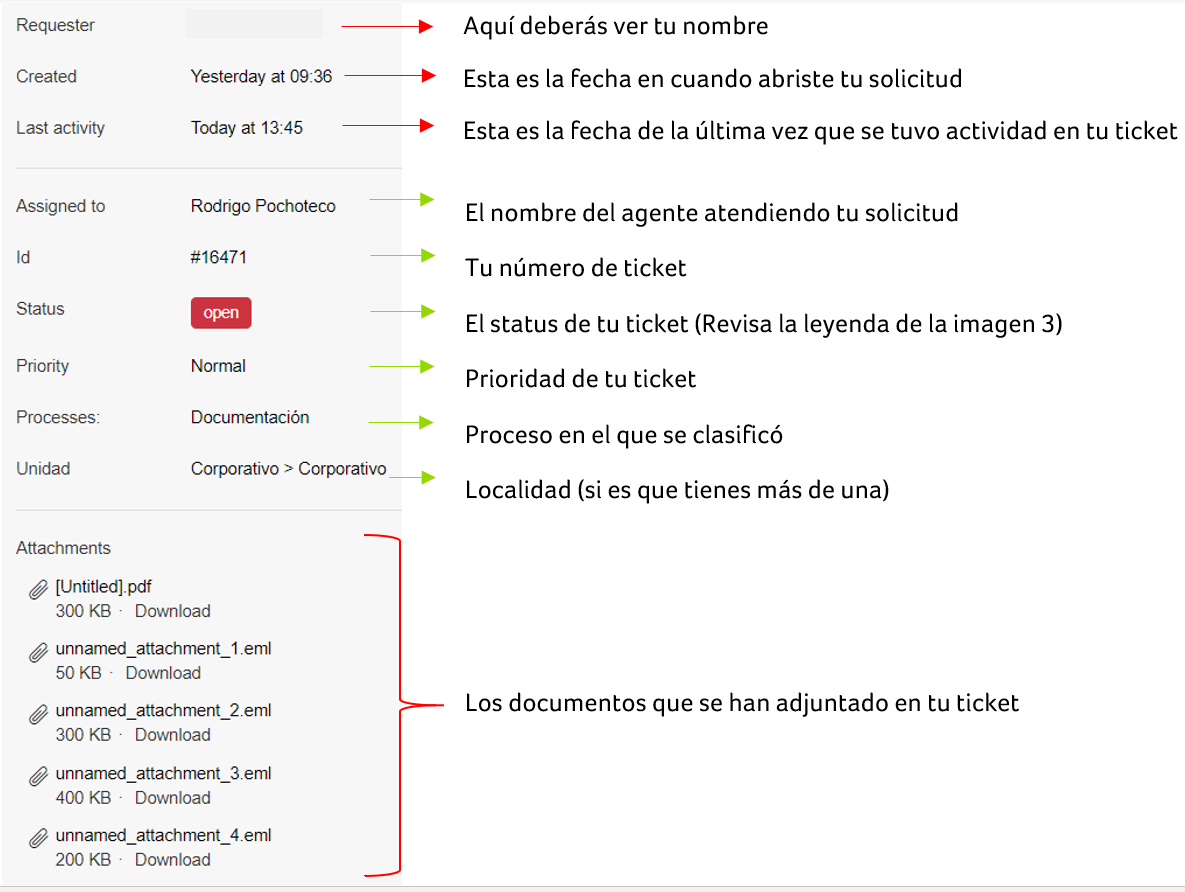
IMEGEN 2: Ticket Information
Inside the ticket you can view all the comments made, who wrote them and their date.
If you require it, you can close the ticket by clicking on the option “Mark as Solved”.

IMAGE 3: Ticket's Comments
Comments
0 comments
Please sign in to leave a comment.