
Incorrect user name or password
Please send us a ticket with:
- Screenshot where the error message is visible when entering the app as shown in the image 1 below.
- User's extension number
- User's full name
We will answer with the correct access credentials.
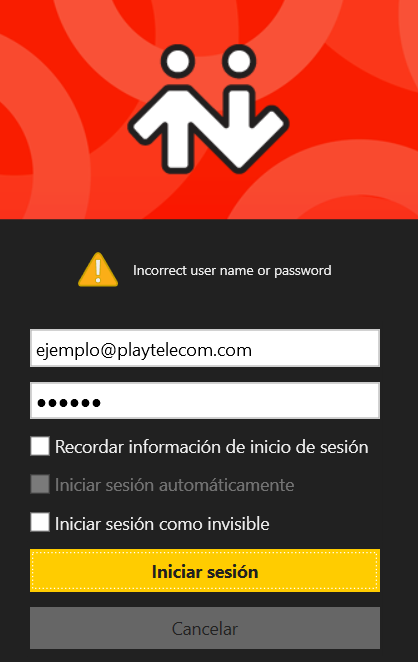
Image 1: Error message example
Device Activation Limit Reached
Please send us a ticket with:
- Screenshot where the error message is visible when entering the app as shown in the image 1 below.
- User's extension
- Bria user's (ending @playtelecom.com)
Every Bria user's account can be registered on a max of 2 devises, no matter is they are computers, smartphones or tablets.
Once you start your session in you devise, this will count as a registry, no matter if you close the session afterwards.
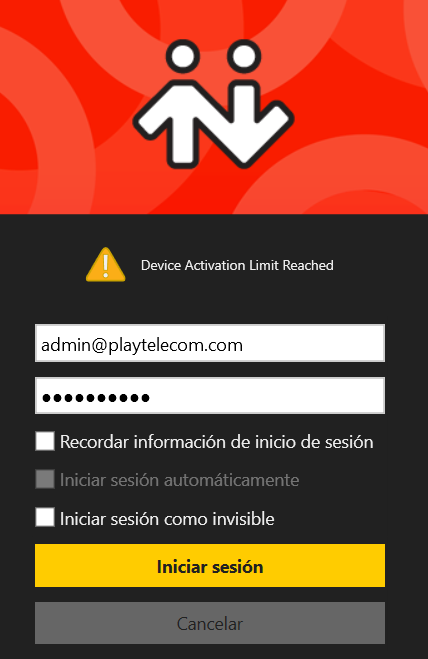
Image 2: Error message example
Failure to activate your account
Please send us a ticket with:
- Screenshot where the error message is visible when entering the app as shown in the image 1 below.
- User's extension number
- Bria user's (ends with @playtelecom.com)
In this case, there is an error on the extension's configuration and will be supervised.
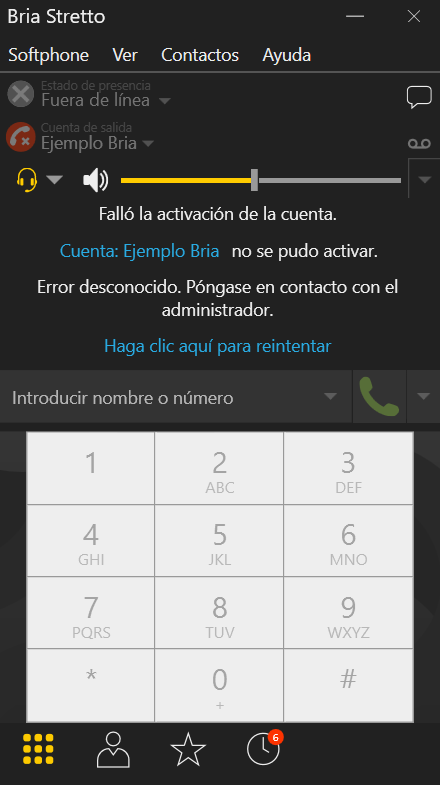
Image 3: Error message example
How can I know if my Bria is working correctly
Availiability and phone icons will appear green as shown in the image below:
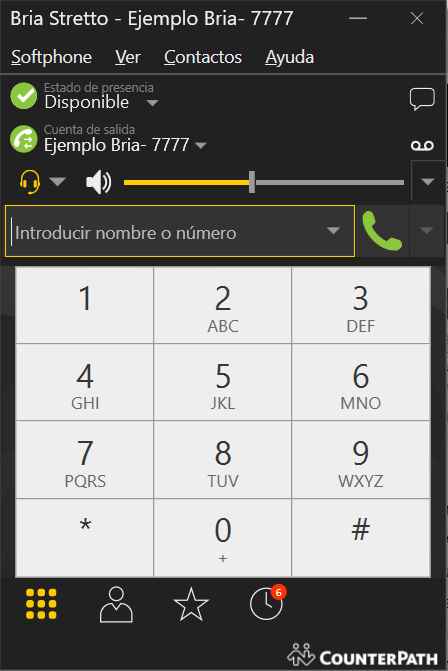
Image 4: Correctly activated Bria example
Comments
0 comments
Please sign in to leave a comment.